
DrChrono billing, done inside your DrChrono. Claims, denials and payments worked in your own DrChrono account, and through its open API.
The AI drafts the codes from the signed note and your provider approves them. Our billing team does the rest inside DrChrono, and you see every claim on your dashboard.
- Practices of 1–20 providers on DrChrono
- No new software
- Commercial, Medicare, Medicaid
How we work in DrChrono
Your DrChrono, worked by our team.
DrChrono publishes a REST API that covers billing data, so we can work in your account and through the API side by side.
-
Access
Our own logins, your rules
You add each person on our team as a named DrChrono user with only the billing access you approve. You can switch any of them off.
-
Billing
Billing work in DrChrono’s own screens
Claims, payment posting, denials and patient balances are worked in DrChrono’s billing tools, so your history stays in one place.
-
API
DrChrono’s open API
DrChrono’s API covers patients, appointments, insurance and billing transactions. With your OK, we connect through it.
-
No change
Your providers chart as they do today
Notes, including on the iPad, and sign-off stay the same. The one new step for providers is approving the codes the AI drafts.
Sources: DrChrono API docs. DrChrono is a trademark of its owner. Marlow is an independent billing company, not affiliated with or endorsed by DrChrono’s owner.
Your dashboard
Every number, live. Next to DrChrono, not instead of it.
Collections, denials, days to payment and open AR, for every claim we work in DrChrono.
Try the live demo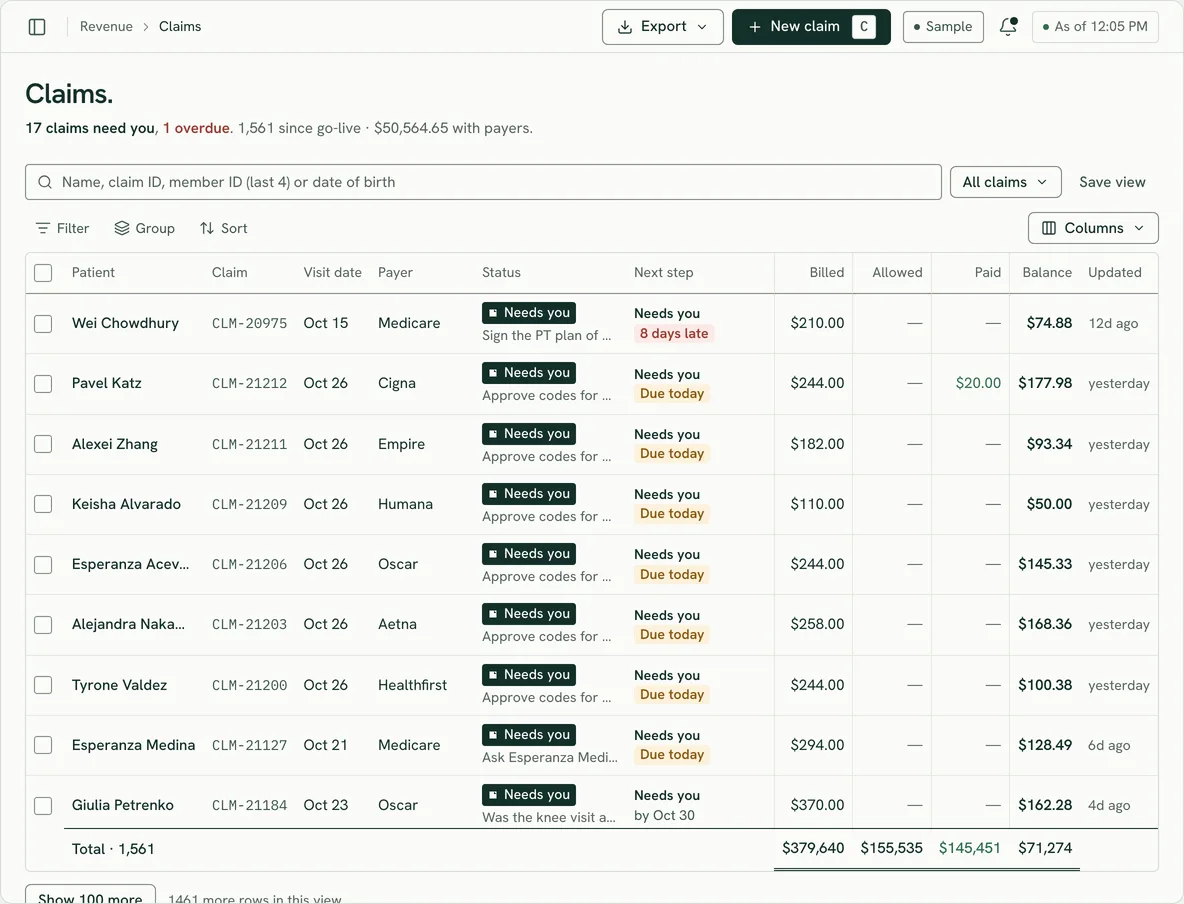
See what your DrChrono claims are missing.
Free · no obligation · no patient data in the form.
Start the audit- Sign a short BAAWe email it to you.
- Upload two reports12 months of 835s and your AR aging, both from DrChrono.
- Get your practice profileDenials ranked by dollars, walked through on a call.
Questions DrChrono practices ask.
Do we have to leave DrChrono?
No. You keep DrChrono, your data and your setup. We work in it as part of your team, and the only new step for your providers is approving the codes the AI drafts.
DrChrono offers its own billing service. Can we use you instead?
Usually, yes. Check what notice your DrChrono billing agreement needs. We go through it with you on the call, then run in parallel before the hand-off.
Who on your side sees our patient data?
Only the people working your account, after we both sign a BAA. Each has their own login, so every action is traced to a person. How we handle security.
What will this cost us?
3.5–5.5% of collections · annual agreement · 45-day opt-out. Payers pay you directly, into your bank account. We invoice our fee monthly from posted collections. See pricing.
How long does switching take?
About 30–45 days, with a parallel run before go-live. DrChrono, your bank account and your payer contracts stay the same. See how switching works.
What if it isn’t working for us?
If it isn’t working in your first 45 days, you can leave, no questions asked. After that it’s an annual agreement, which sets out the notice and how your files come back to you.
Keep DrChrono. Hand us the billing.
3.5–5.5% of collections · annual agreement · 45-day opt-out
Rather start with your numbers? Get a free billing audit.